- JavaScript 80.5%
- Python 11.2%
- Shell 2.3%
- Makefile 2.2%
- GLSL 2.1%
- Other 1.7%
 5b4d1ec2e8
- Add preset selection and syncing for appearance settings - Harden search UI cleanup and blurred background handling |
||
|---|---|---|
| .github | ||
| apps | ||
| effects | ||
| lint | ||
| preferences | ||
| schemas | ||
| screenshots | ||
| tests | ||
| ui | ||
| .eslintrc.yml | ||
| .gitignore | ||
| CHANGELOG.md | ||
| extension.js | ||
| HACKING.md | ||
| install.sh | ||
| keybinding.js | ||
| LICENSE | ||
| Makefile | ||
| metadata.json | ||
| monitors.js | ||
| NOTES.md | ||
| prefs.js | ||
| README.md | ||
| shortcuts.js | ||
| style.js | ||
| stylesheet.css | ||
| timer.js | ||
| transpile.py | ||
Search Light
A GNOME Shell extension — personal fork
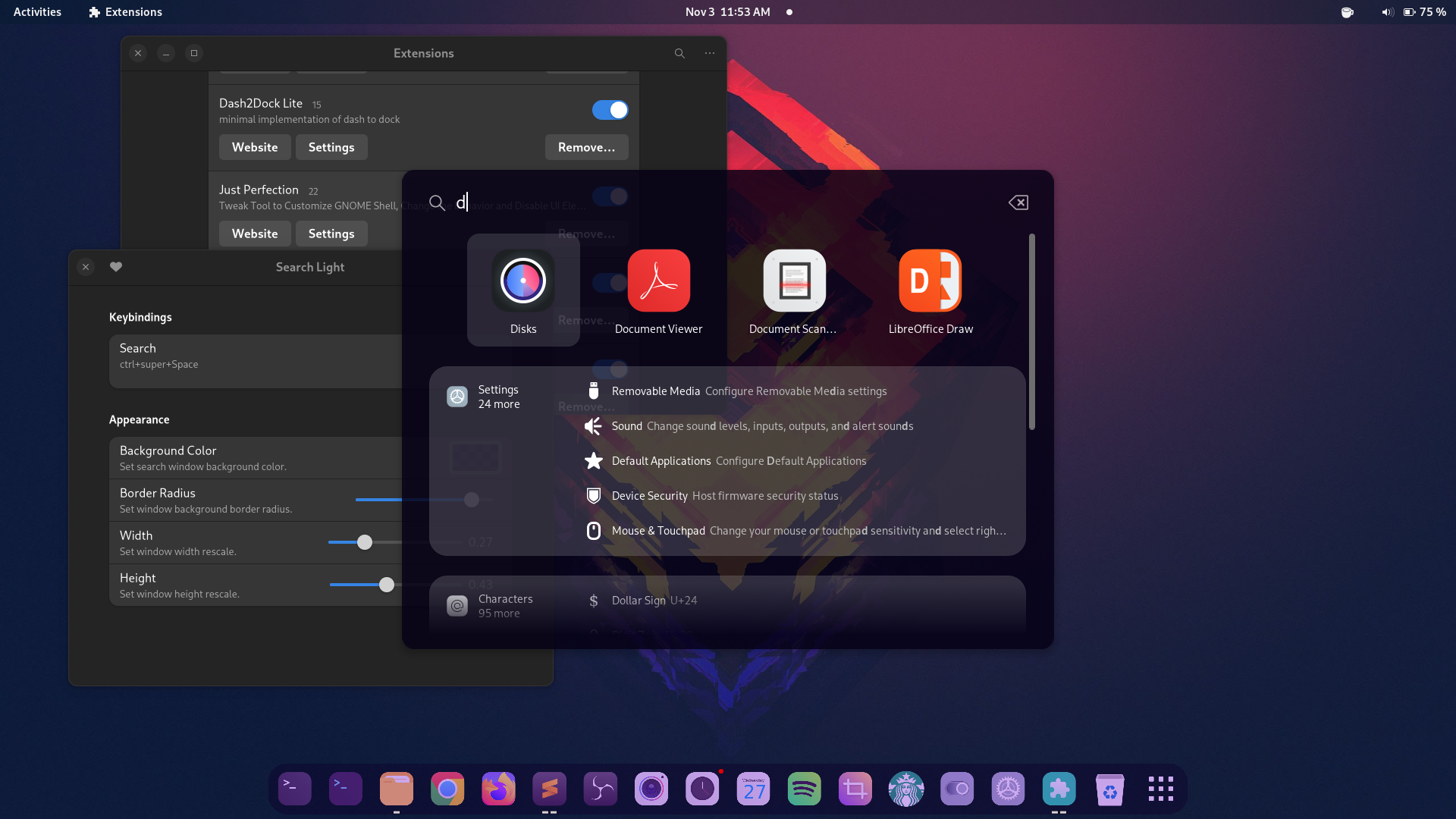
A GNOME Shell extension that takes the apps search widget out of the Overview. Like macOS Spotlight, or Alfred.
About this fork
This is a personal fork of icedman/search-light, intended to be installed from source rather than from extensions.gnome.org. For now it only fixes some of the issues needed to make the extension GNOME 50 compatible — more changes may land later. On top of upstream's GNOME 50 support, it addresses the code issues raised in EGO review #70331:
- No compiled GSettings schema shipped (the shell compiles it itself on GNOME 45+)
- No GTK/Gdk imports reachable from the shell process
- Unused source files removed
- Complete teardown in
disable()(signals, actors, monkeypatches, overview search widgets) - Preferences window cleans up its settings listeners and D-Bus proxy on close
Supported GNOME Shell versions: 48, 49, 50 (see metadata.json). For older shells, use the upstream branches (gnome-47, g44).
Features
- Popup search box
- Colors, background, borders customization
- Blurred background (requires imagemagick on the system to generate the blurred image)
- Multi-monitor support
Easy install
One command — downloads, installs, and enables the extension for the current user:
curl -fsSL https://git.salix.host/salix/searchlight-fork/raw/branch/main/install.sh | bash
Then log out and back in (required on Wayland; on X11, Alt+F2, r, Enter also works) and press Ctrl+Super+Space.
Installing from source
git clone https://git.salix.host/salix/searchlight-fork.git
cd searchlight-fork
make build install
make build compiles the GSettings schema locally, and make install copies the extension to ~/.local/share/gnome-shell/extensions/search-light-fork@salix.host/.
Then enable it:
gnome-extensions enable search-light-fork@salix.host
On Wayland you must log out and back in before the shell picks up a newly installed or updated extension (on X11, Alt+F2, r, Enter also works).
To update after pulling changes, run make build install again and re-login.
If something misbehaves, check the shell log:
journalctl --user -b 0 | grep -i search-light
Keybinding
Ctrl+Super+Space (change it in the preferences page). Super is the Windows logo key, or Command on a Mac keyboard.
Credits
- icedman — the original extension (buy him a coffee)
- Blur-My-Shell for background blurring code